Are you also struggling to choose between the 2025 MacBook models? Should you go for the ultra-light 13-inch MacBook Air, the productivity boost of the 15-inch MacBook Air, or the professional-grade performance of the 14-inch MacBook Pro? As a loyal Apple user, I completely understand the dilemma. Each one is so appealing and “perfect” in its own way. But which one will best meet your daily work, entertainment, and creative needs?
Whether you’re a student, a designer, or a professional who travels often, we’ll help you find the perfect MacBook for you. Let’s dive in!
13-inch Mac Book Air (2025) — The Lightweight, Powerful Daily Work Companion
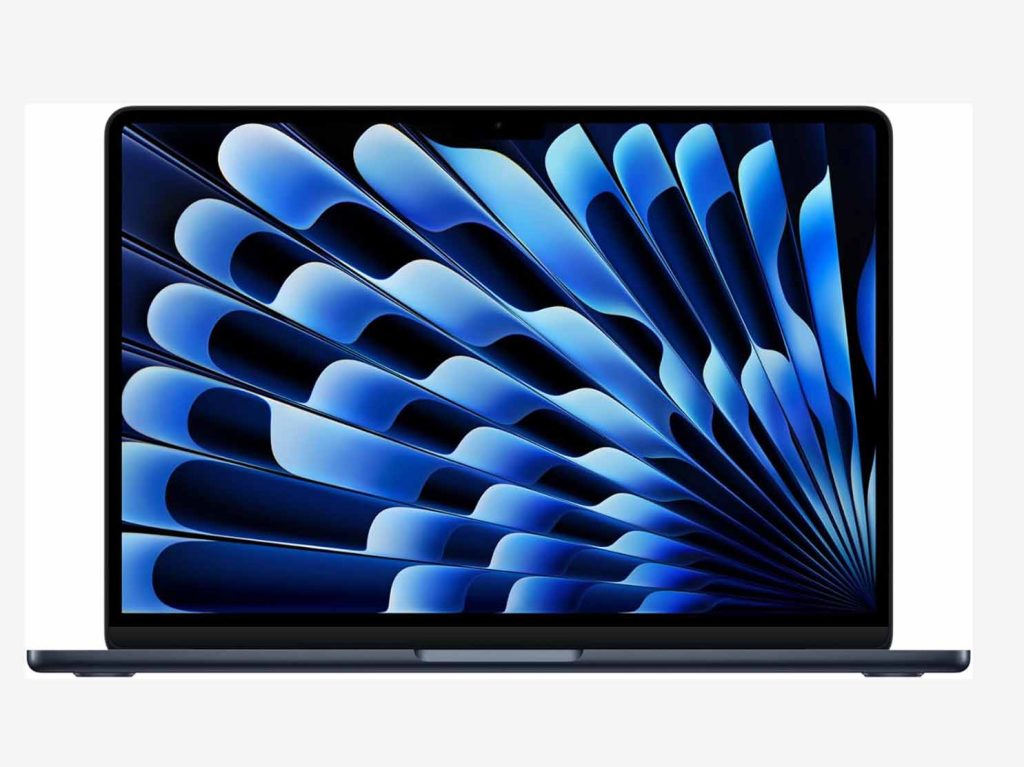
The 13-inch Mac Book Air really surprised me, especially when it comes to portability. As one of the thinnest laptops in Apple’s lineup, it weighs just 1.24 kg and has a thickness of only 1.13 cm. This size makes it incredibly easy to carry around during long commutes or trips. As a freelancer who needs to take my laptop to coffee shops daily, lightweight is a must. Holding it while walking around, I hardly feel its weight, and my backpack doesn’t feel heavy at all.
Even more important, the design of the 13-inch Mac Book Air is simple and stylish, with the midnight blue finish really standing out. Unlike the common silver or gray laptops, midnight blue gives it a unique, modern look. I often get envious glances when I use it at meetings or in public spaces.
The 13.6-inch Liquid Retina display is vibrant and sharp. Compared to some budget laptops, the color accuracy and screen brightness stand out. In my daily work, especially when watching videos or doing design work, I pay a lot of attention to the display, and this screen did not disappoint me. Whether editing text or checking image details, everything is crisp. The 400-nit brightness makes it usable even outdoors, where I can still clearly see the screen under sunlight.
However, if you’re someone who needs the highest quality display (e.g., for professional graphic design or video editing), the MacBook Pro’s XDR screen might be more suitable for you.
Performance:
Speaking of performance, the M4 chip in the 13-inch MacBook Air absolutely blew me away. Despite being one of Apple’s thinnest laptops, its performance is anything but weak. The 10-core CPU and 10-core GPU of the M4 chip made everyday office tasks feel seamless. Web browsing, video playback, email management—everything was smooth, almost “instant-on.”
What really impressed me was the performance when doing image design and video editing. Although it’s a lightweight laptop, I edited a 1080P video on it and didn’t encounter any lag. Whether adjusting contrast, editing clips, or adding effects, it handled everything smoothly. The render speed was impressive. For someone like me, who occasionally creates videos, the MacBook Air’s performance completely meets my needs without worrying about lag when multitasking or performing complex operations.
Additionally, I tested its multitasking performance. With 16 GB of RAM and 256 GB of storage, I never felt “constrained.” I was able to open multiple browser tabs, use a document editor, and run image processing and video editing programs simultaneously—all without any delay when switching between apps. Even for tasks that require more memory, like basic design work or adjusting larger files, it performed without hesitation or slowing down.
The M 4 chip far exceeded my expectations for the 13-inch Mac Book Air’s performance. Its processing speed is incredibly fast, launching apps quickly and maintaining efficiency. Whether for daily use or occasional creative work, it provides a smooth experience. If you need to do a bit of creative work without sacrificing portability, the 13-inch Mac Book Air’s performance is definitely trustworthy.
As someone who frequently works on the go, battery life is crucial for me. I was thrilled to find that the battery life on this MacBook Air is excellent, lasting about 15 hours on a single charge during daily use. Even for more intensive tasks, I can work an entire day without worrying about finding an outlet.
If you’re like me and often travel or need a lightweight laptop that can handle daily office work and entertainment, the 13-inch MacBook Air is the perfect choice. Whether commuting, working at a café, or using it while traveling, its portability makes it easy to carry. More importantly, it doesn’t sacrifice performance for slimness, and its smooth operation lets you work efficiently anywhere, anytime.
As a freelancer, the Mac Book Air not only meets my daily office needs but also performs well in creative tasks. Whether editing documents, creating simple designs, or doing some video editing, it handles everything with ease. Especially when I need to work in different locations, the compact design makes it feel like a breeze, and it doesn’t add any “weight” to my day.
For students, the 13-inch MacBook Air is also an excellent option. It has enough power to handle tasks like writing papers, doing research, and attending online classes, while also being highly portable. Whether on campus or in the library, you can easily pull it out. Its strong battery life can last all day, even through multiple classes, ensuring you never run out of power mid-lecture.
The 13-inch Mac Book Air’s sleek, modern design, especially in midnight blue, adds a touch of personality and style. Whether you’re presenting in a meeting or waiting at the airport, it looks sophisticated and professional. It’s perfect for users who value both aesthetics and practicality, especially those who want to work efficiently without carrying a heavy laptop.
The 13-inch MacBook Air is incredibly portable, and it also delivers great performance, display quality, and battery life. It’s an excellent choice for students, freelancers, and anyone who needs to work efficiently on the go.
15-inch Mac Book Air (2025) — Bigger Screen, Higher Efficiency
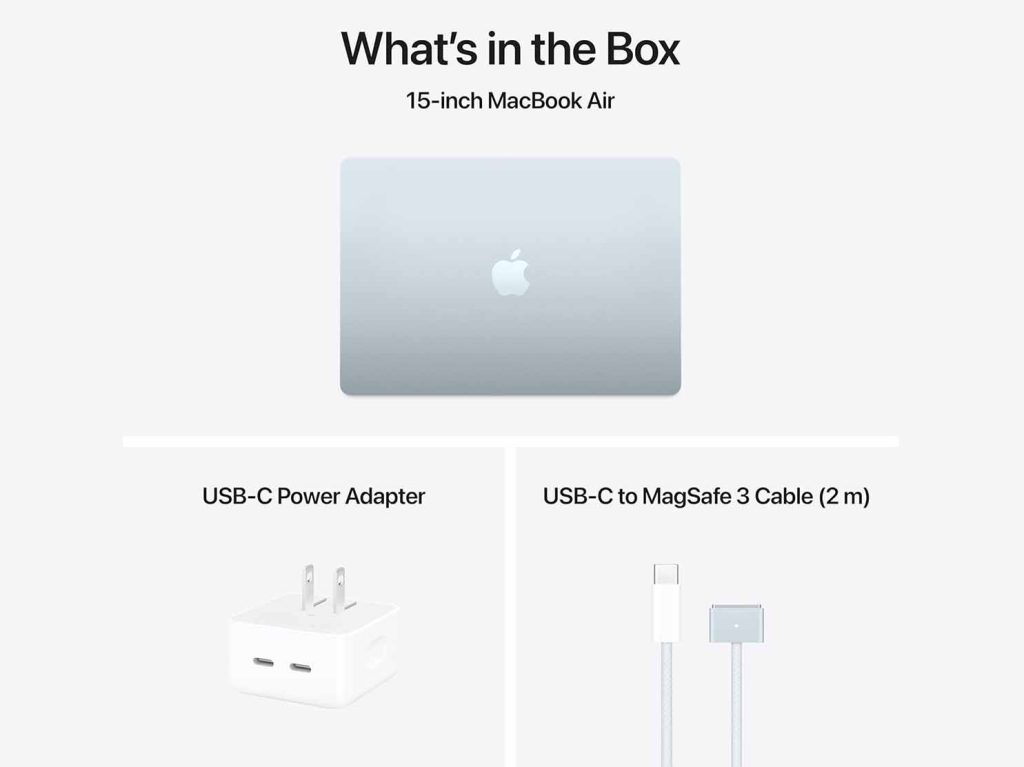
Honestly, when I first got my hands on the 15-inch Mac Book Air, I was a bit surprised—it was larger than I expected. The 15.3-inch screen is 2 inches bigger than the 13-inch version. Despite the increase in size, its weight is still just 1.52 kg, which is not heavy at all. If you need to use your laptop for long hours daily and want a bigger screen to boost productivity, the 15-inch screen certainly offers more visual space.
The sky blue finish adds a touch of vibrancy to this laptop, making it feel fresh and modern without being too flashy. As a lightweight large-screen laptop, it doesn’t feel “bulky” at all, and instead gives me a sense of spaciousness when working.
The 15.3-inch Liquid Retina display is a standout feature. With a resolution of 2880 x 1800, the screen’s clarity and detail exceed any similar product I’ve used before. Especially when doing design work, the larger screen lets me see every detail clearly without constantly zooming in and out, greatly improving my productivity.
If you need to work on multiple tasks or design projects at the same time, the 15-inch screen gives you more space, clearer visuals, and higher efficiency. For users who need to edit large images or perform multitasking, this screen is a significant advantage.
The performance of the 15-inch Mac Book Air is nearly identical to the 13-inch version. The M 4 chip with its 10-core CPU and 10-core GPU allows it to handle everyday tasks with ease. Despite the larger screen, the performance remains fluid, and it’s perfect for those who need a larger screen for work, design, or browsing.
If you often need to handle multiple files or tasks at once, the 15-inch Mac Book Air’s performance easily keeps up. Its multitasking capabilities are strong, with 16 GB of RAM to ensure smooth performance when switching between applications.
Even with a larger screen, the 15-inch Mac Book Air’s battery life remains impressive. In my usage, it lasted around 14 hours, easily supporting a full day of work. If you’re someone who needs long hours of laptop use, the 15-inch Mac Book Air will comfortably meet your needs.
If you want a larger display without sacrificing portability, the 15-inch Mac Book Air is a great option. Its 15.3-inch screen offers more workspace, allowing for more efficient multitasking. Whether you’re editing documents, browsing the web, or working on complex spreadsheets, the 15-inch display eliminates the hassle of constantly switching between windows. It’s ideal for users who need to handle multiple tasks simultaneously, like business professionals, project managers, or students who need to keep several documents open at once.
For home office users, the 15-inch Mac Book Air provides more screen real estate, making your work more efficient. You can keep your email, meeting notes, and project plans open on the same screen without constantly switching between apps. This spacious display makes workflows smoother and greatly enhances productivity. When working with spreadsheets and documents, I don’t need to worry about tiny text or excessive scrolling, which is crucial for efficiency.
The 15-inch Mac Book Air is also great for light creative work. For someone like me, who occasionally does simple graphic design, photo editing, or video editing, the larger screen gives me more space to see details without constantly zooming in and out, providing a comfortable visual experience. Although it’s not a professional design machine, the screen space it provides is more than sufficient for everyday creative tasks.
Even with a larger screen, the 15-inch Mac Book Air maintains Apple’s signature slim design, weighing only 1.52 kg and with a thickness of just 1.53 cm. It still fits easily into a bag, unlike some larger laptops that can feel bulky. For those who travel frequently for work or business, its portability is unmatched by other large-screen laptops.
The 15-inch Mac Book Air is perfect for those who want a larger display without sacrificing portability. Whether for home office work, multitasking, or light creative tasks, it offers ample workspace and smooth performance, making it an ideal choice for those who value efficiency and convenience.
MacBook Pro 14-inch (2025) — Professional Performance for Creators
As a professional-grade laptop, the MacBook Pro 14-inch is built to be more robust. Its space grey appearance is understated yet powerful, and it looks nothing like a regular consumer laptop. With a weight of 1.6 kg, it’s a bit heavier than the Air models, but considering its performance, the weight is entirely acceptable. For users who need significant computation and graphics processing, the 14-inch MacBook Pro provides not only powerful performance but can easily handle professional tasks.
The 14.2-inch Liquid Retina XDR display is fantastic! XDR technology makes its color performance highly accurate, and the brightness is exceptionally high, reaching up to 1600 nits. The HDR effects are especially excellent when editing video and graphics. I’ve tried color-sensitive image processing with it, and the results were stunning. For professional creators, especially those involved in video editing, graphic design, or photography, this display is a perfect 10.
Ultimately, the choice between these MacBooks depends on your needs. If portability and everyday use are your priorities, the MacBook Air is the best option for you. If you need more performance and a larger screen, the MacBook Pro is the better choice. Whether you’re looking for a lightweight laptop for efficient on-the-go work or a high-performance machine for professional creative tasks, the 2025 MacBook Air and MacBook Pro offer a variety of choices and perfect solutions.
Selecting the right MacBook means you’ll no longer be limited in your work, allowing you to complete tasks more efficiently and enjoy your creative endeavors. Say goodbye to slowdowns and embrace a more productive, fluid work and creative life!
No matter what your needs are, Apple’s 2025 MacBook lineup has the perfect solution for you. Now, pick the MacBook that best fits your needs and say hello to a more efficient, smooth work and creative experience!