To be honest, when I first encountered website building, the entire process was completely foreign to me. Concepts like domain names, hosting, and servers were all abstract ideas; I simply wanted to create a site of my own but had no idea where to begin.
After some trial and error, I eventually chose WordPress as my website-building tool. Looking back, that decision saved me a lot of wasted effort.
In this article, I want to share the real story of how I built a site from scratch. This isn’t just a textbook list of steps, but a summary of my actual experiences—including the pitfalls I encountered, the things I tried, and the adjustments I made along the way.
Why I Chose WordPress Over Other Methods
I actually experimented with several website-building solutions early on, such as static web pages, online site builders, and even methods that required coding. However, I quickly realized that these options were either too complex or too restrictive.
While building a site purely through code offers flexibility, the barrier to entry is very high for beginners; it requires knowledge of HTML and CSS, and often involves backend logic. For me at the time, that approach simply wasn’t realistic.
On the other hand, while online site builders are easy to use, they are often too “closed off.” Many features cannot be customized, and there is very limited room for expansion once the site grows.
By comparison, WordPress strikes a perfect balance between the two. It doesn’t require you to write code, yet it offers a high degree of freedom. You can quickly set up a site and then gradually refine its structure, functionality, and design—an incremental approach that is ideal for beginners.
More importantly, it boasts a mature ecosystem; almost any website feature you can imagine can be implemented using plugins or themes.
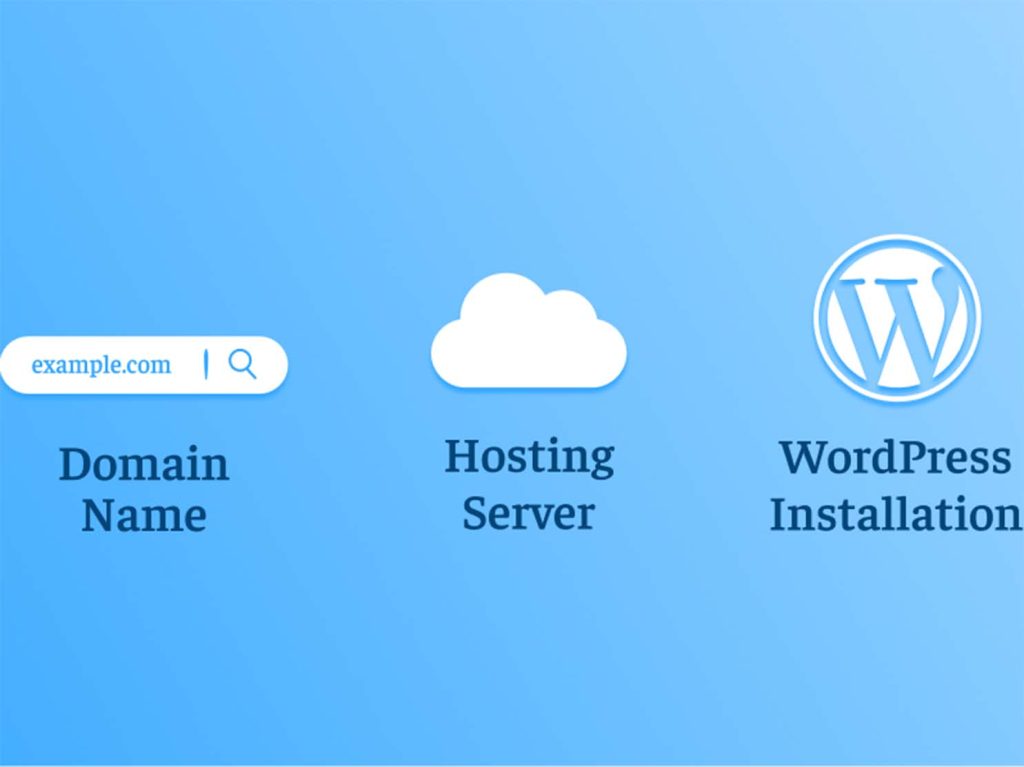
Choosing a Domain Name: Something I Initially Overlooked but Later Realized Was Crucial
When I first registered a domain name, I did so entirely based on instinct. I didn’t give it much thought; if the name was available and the price was right, I registered it.
It wasn’t until I actually started running the site that I began to appreciate the importance of the domain name.
An unsuitable domain name can affect the site in many subtle ways—it might be hard to remember, complicated to type, or even lead users to misunderstand the site’s content. From a more practical standpoint, it can also impact how search engines interpret the site’s topic. Upon reflection, I realized that a good domain name should generally be concise and align closely with the website’s theme. It is not merely an access address; it serves as the branded gateway to your site.
Failing to consider this at the outset makes changing the domain later a costly endeavor—not only due to the technical migration involved but also because of the potential negative impact on SEO rankings.
Choosing a Host: The Step Where I Faced the Most Pitfalls—and the Most Critical Factor for User Experience
Compared to the domain name, choosing a hosting provider was the part of the website-building process where I encountered the most hurdles.
Initially, I opted for the cheapest shared hosting plan to save money. Everything seemed fine right after installing WordPress, but problems soon arose: the site loaded slowly, the backend frequently lagged, and there were even brief periods of total inaccessibility.
At first, I suspected WordPress itself was the issue, but troubleshooting revealed that the real bottleneck was the hosting performance.
I later began to systematically research hosting types and gradually understood the differences between the various options. Shared hosting is suitable for beginners on a budget, though it offers limited performance and stability. In contrast, VPS and cloud servers provide superior performance and greater control, though they require a higher level of technical knowledge.
After some trial and error, I came to a realistic conclusion: the ceiling for a website’s user experience is largely determined by the hosting provider, not by WordPress itself.
So, if you are a beginner, you can start with shared hosting, but avoid choosing an overly cheap plan; otherwise, the cost of migrating later will be much higher.
Installing WordPress: Far Simpler Than I Imagined
Before actually installing it, I had assumed that building a website would be a complex technical undertaking—involving tasks like manually configuring databases, uploading files, and editing configuration files.
However, in practice, I found that modern hosting environments are incredibly user-friendly, with most offering “one-click installation” features.
The entire process was much simpler than I had anticipated: I simply logged into the hosting control panel, located the WordPress installer, and entered the site name, administrator account, and password. The system then handled the installation automatically.
The whole process took less than ten minutes.
When I successfully accessed the WordPress backend for the first time, I was honestly a bit surprised; I had expected a significant technical barrier to entry, but the process had actually been vastly simplified.
Backend User Experience: Seemingly Complex, Yet Logically Clear
When I first accessed the WordPress backend, my initial impression was one of information overload; the left-hand menu contained numerous modules—Posts, Pages, Appearance, Plugins, Settings, and more—which felt a bit overwhelming at first.
However, after using it for a while, I realized the structure was actually logical; it just required a brief adjustment period.
For instance, content-related items are grouped under “Posts” and “Pages,” “Appearance” handles themes and layout, “Plugins” manage functional extensions, and “Settings” cover the site’s fundamental information.
Once you become familiar with the system, you realize that WordPress’s logic is actually quite clear—it isn’t nearly as complex as it first appears.
Theme Selection: Shifting from “Aesthetics First” to “Performance First”
When choosing a theme, I made a classic mistake early on: focusing too much on appearance. I spent a lot of time hunting for the “best-looking” theme, only to discover later that this approach wasn’t ideal for long-term site management.
Themes with complex features and elaborate designs—while visually stunning—often suffer from slow loading speeds and various compatibility issues.
I eventually shifted my mindset to prioritize lightweight design and stability. A theme with a simple structure and fast loading speed is actually far better suited for long-term operation.
This is especially true given the growing importance of mobile access, where page loading speed is often more critical than visual flair.
Plugin Usage: From “The More, the Better” to “Keeping Only the Essentials”
When I first started using WordPress, I fell into another common trap: installing every plugin I saw, believing that more features meant a better site.
I soon realized, however, that an excess of plugins could slow down the site and even lead to conflicts between them.
I subsequently adjusted my strategy to retain only the truly essential plugins—such as those for SEO, caching/speed optimization, security, and backups—while handling other functions through lightweight alternatives whenever possible.
Reducing the number of plugins made a noticeable difference; the site became more stable and much easier to maintain.
From Initial Launch to Ongoing Optimization: The Site’s True Growth Phase
Clicking the “Publish” button for the first time brought about a shift in my perspective. In that moment, I felt that my site was no longer just a structural framework; it was truly coming to life, filled with its own unique content. However, that excitement didn’t last long, as reality quickly brought me back down to earth: the newly launched site had virtually no traffic, no visitor logs, and no search rankings. It was as if the pages had been tucked away in a quiet corner where no one could see them.
It was during this phase that I truly grasped a crucial fact: building the site was merely the starting point. What really determines a site’s growth is the continuous updating of content, not how beautiful the initial design was. A website isn’t a project that ends once it’s built; it is a process of constant growth and ongoing re-evaluation by search engines.
Over time, I began to notice another issue: even with content in place, the user experience was still lacking—unstable loading speeds, oversized images, and delays when opening pages. These problems weren’t immediately obvious, but as traffic increased, their impact became increasingly apparent.
So, I began making some fundamental optimizations: compressing image sizes, enabling caching mechanisms, and integrating a CDN for faster delivery. I also reorganized the permalink structure to make the URLs clearer and more standardized.
These seemingly simple adjustments yielded remarkable results. The site loaded faster, page transitions were smoother, and the overall browsing experience improved significantly. It was at this stage that I truly realized website optimization isn’t just an “optional extra”—it is a critical component of long-term site management.
Building a site isn’t hard; the real challenge lies in keeping it going
Building a site with WordPress turned out to be far less complicated than I had initially imagined. The real difficulty wasn’t the technical aspect, but rather the hesitation caused by information overload and the trial-and-error process involved in the early stages.
Once you actually get started, you realize that most problems can be solved step by step. For me, this was more than just a technical learning experience; it was a transformation from simply wanting to build a site to actually owning one. WordPress provided a powerful yet accessible way to make that process a reality.